Security Archives

Be careful when using public Wi-Fi Hotspots

According to the findings of a global survey from Online Security Brand Tracker, conducted on behalf of ESET (April-May 2011), nearly 50% of Internet users are using portable devices as their primary connection. The most popular devices used for Internet connectivity are notebooks (41%), followed by netbooks (3%), smartphones (2%) and tablets (1%).

When you’re in an airport, you open your laptop to read or send e-mails, looking for a free Wi-Fi hotspot. And there it is! You almost always find one and connect to send and read your e-mails etc. What you do not take into consideration is that the free Wi-Fi may have a privacy cost associated with it: the data of your connection, your personal details and other important information can be stolen when you send your message, without having any idea that such a thing could happen. Before you know it, you’re calling Lifelock for identity theft protection because your personal information has been stolen, and soon, your identity.

What should make you suspicious is when there is a Wi-Fi hotspot with a name that is not recognized or resembles an official or even a celebrity name. Also, the user must be particularly cautious in hotspots that do not need password protection for access. The ‘magic’ of the data theft happens through a proxy technology, which monitors the Wi-Fi communication and captures and stores a copy of all your data on the hacker’s laptop. This process will slow down the traffic speed of your connection but in cases of networks with many users it is difficult to say with certainty whether the slow traffic is due to the theft of your data or because there are many users connected simultaneously.

Each time the user performs a task on the internet, whether buying staff online, checking your bank account or checking of email, the computer must send the login to the network, which is a goldmine for fraudsters on the internet. Under normal conditions the connection to a secure site (such as your bank site) must start with “https” instead of “http“, which means that traffic is encrypted. Some sophisticated hackers can even steal your encrypted communication (by proxying your connections through their own computer). For this reason, extreme caution is required when giving personal information and passwords in a public WiFi hotspot.

The threats to be aware while using public Wi-Fi:

  • Evil twin login interception: networks set up by hackers to resemble legitimate Wi-Fi hotspots.
  • 0-day OS / app attack attempts: attacking your computer and applications in order to get access to it using unknown and unpatched vulnerabilities.
  • Sniffing: software or hardware that can capture and record the traffic passing over a network.
  • Data leakage (man-in-the-middle attack): Cyber-criminals who can modify network traffic, leaving the impression that the user navigates the website of a bank for instance, while, in reality, traffic is passed first through the attacker’s computer.

There is a recent vulnerability affecting Microsoft Windows (XP, Server 2003, Vista, Server 2008 and Windows 7) and there is no patch available from Microsoft yet. See description of the vulnerability below. The famous Duqu worm has been silently exploiting this vulnerability in the wild. The Duqu Virus has been also named as “Son of Stuxnet”. As you might recall, Stuxnet virus was targeting Siemens industrial control systems (SCADA) last year (June 2010) and has created havoc in many systems.

The Duqu Virus is a clone of Stuxnet and attacks victims usually through a Microsoft Word attachment in emails. If the victim opens the Word Document, the PC is infected and the attacker can even take control of the computer.

Microsoft has been working to find a permanent patch for this vulnerability. Until then, they released a temporary fix here.

Description:

The Microsoft Windows Kernel is susceptible to a vulnerability due to improper handling of TrueType fonts. This vulnerability is being actively exploited in the wild by the Duqu worm.By enticing the target to view a document with a malicious font, the attacker can exploit this vulnerability in order to execute arbitrary code on the target machine with SYSTEM-level permissions.

Status:

vendor confirmed, updates not available

References:

Microsoft Security Advisory

http://technet.microsoft.com/en-us/security/advisory/2639658

Common Vulnerabilities and Exposures

http://cve.mitre.org/cgi-bin/cvename.cgi?name=CVE-2011-3402

Cyber Attacks to Sega

The latest cyber attacks have now hit Sega, another gaming company after Sony and Nintendo.

As BBC, Reuters and AFP reported, Sega announced that data for their users was compromised from their online network, Sega Pass. Confidential information such as names, birth dates, email addresses, passwords etc were stolen, while stating that the credit card numbers remained unaffected. The company admitted that data information were stolen from the database for approximately 1.3 million customers.

The Sega Pass network was shut down in order to mitigate the attack and reinforce the level of security, Sega said, and apologized to customers for the problem. Remains unknown when the network will operate again.

The violation in security was found last Thursday by the European Sega subsidiary company and was not revealed until recently. The hacker group Lulz Security, which has claimed responsibility for many of the recent major cyber-attacks, but not for the last one, voluntarily offered to help Sega to discover the culprit and punish him.

Tips about Facebook Viruses by Eset

Recently, many worms have threatened users of Facebook, including Win32/Yimfoca.AA and Win32/Fbphotofake, which followed the older virus (which is still active in Facebook) called Koobface.

Specifically, Win32/Yimfoca.AA is located in the top ten list of ThreatSense.Net in many European countries such as Austria, Italy, the Czech Republic and Slovakia in recent weeks.

According to Marek Polesensky, Malware Researcher of ESET, the Yimfoca worm uses Facebook chat to attack users, while Fbphotofake is a social engineering worm, which attacks victims by itself but also in combination with other malicious software through spam messages on Facebook. “The Yimfoca worm acts as a backdoor and can be controlled remotely, transmitting the virus through IM software such as Skype, MSN or Yahoo Messenger».

Moreover, Yimfoca can download and put into operation other malware programs circulating on the Internet – including rogue anti-virus software, by changing security settings or turning off the firewall in Windows. The Fbphotofake worm appears mainly as spam on Facebook. Users are advised to be careful not to open suspicious and unknown attachments or click on dubious links.

About the recent malware attacks, David Harley, Senior Research Fellow of ESET, noted the spread of the Nigerian letter scam on Facebook. “It is a typical case of Advance Fee Fraud (AFF), with an extra emotional blackmail,” says Harley. Moreover, he advises users to “Be always sure of the identity of the sender of instant messages or the content of messages on Facebook”. Also, Randy Abrams, Director of Technical Education of ESET North America, notes that “Part of the problem is that the philosophy of Facebook does not include security and this is a very difficult hurdle for specialists in the field of antivirus and security”.

Recent threats on Facebook include the following:

• The Win32/Yimfoca.AA worm has reached the Top Ten list of ThreatSense.Net in several European countries in recent months.
• Fbphotofake spreads spam on Facebook. For the case of the two worms mentioned above, users must be careful not to open suspicious and unknown attachments or click on dubious links.
• The Nigerian letter scam is spreading through the messages in Facebook, too.
• Koobface worm which is one year old but can be found sometimes nowadays as well.

Information about safety in Facebook can be found here: http://www.facebook.com/security.

If you are infected from any of the above viruses (especially Koobface), download Spyware Doctor 2011 below to clean up your computer. I suggest you to Download the trial version of the software and run it on your PC. If the tool finds any of the Facebook viruses, you can purchase the full version to clean up the infection.

How to protect your wireless network

Since wireless networks do not require cables, they are convenient and easy to install, so homes with high-speed Internet access and wireless internal networks are growing rapidly. Since the wireless network uses radio signals to transmit data, it may be more vulnerable to intrusion and security problems. Like signals from cellular and cordless phones, wifi signals can also be intercepted. Therefore you should take extra measures to protect wireless network security.

Fortunately, there are steps you can take to protect your wireless network security and developers are constantly working on improving these measures.

Below are five steps to be taken to protect your wireless network:

1. Change the wireless network name (SSID) from the default

The network name SSID (Service Set Identifier) it has a default value for wireless devices installed by the manufacturer. The SSID is the name of your wireless network, which can have up to 32 characters. Hackers know these default names and can use them to log into your network. Change the network name to something unique, not associated with your network equipment. As an extra precaution, change the name of the network regularly so any hacker who perhaps figured out the name of your network before he would have to find it out it again and again. This will limit the intrusion in the future.

2. Disable SSID broadcast

By default, most wireless networking devices are set to broadcast the SSID, so anyone can easily join the wireless network using only this information. But hackers can also connect to it, so if you do not have a public hotspot, the SSID broadcast is better to be off. You might think that broadcasting the network name is more convenient for you to be able to connect with one click, but you can in fact configure devices on the network to automatically connect to a specific SSID without broadcasting the network name of the router.

3. Change the default password

When using wireless devices like access points and routers, in order to connect and manage their settings will require a password. They have a factory default password. (The default password is usually admin). Hackers know these defaults and will try to use them to access the wireless device and change settings. To prevent unauthorized changes change the device default password, so it is hard to guess.

4. Turn on the MAC-address filtering

On most routers you can enable MAC address filtering (MAC = Media Access Control). MAC address is a unique number assigned to each network device. When the MAC-address filtering is configured, only devices with specific MAC addresses can access the wireless network. For example, you can allow access to the wireless network only for the computers in your home. The hacker will be very difficult to get access to your network using a random MAC-address.

5. Turn on encryption

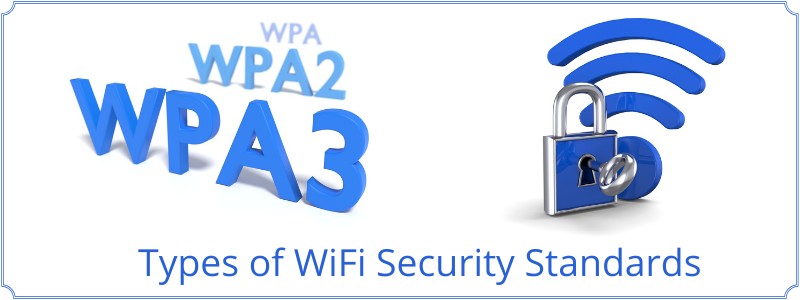
Encryption protects data transmitted over a wireless network. There are Different levels of security for wireless networks such as the WEP protocol (Wired Equivalent Protocol) and WPA (Wi-Fi Protected Access). Currently, the most widely used is WPA since it is more secure because it uses dynamic key encryption.

 Page 1 of 5  1  2  3  4  5 »