Computer CPU temperature is a constant cause of concern for gamers, power users and people who overclock their computer’s CPU. If you hear your system’s cooling fans start spinning faster it means your computer’s temperature (mostly CPU temp) has started to increase.
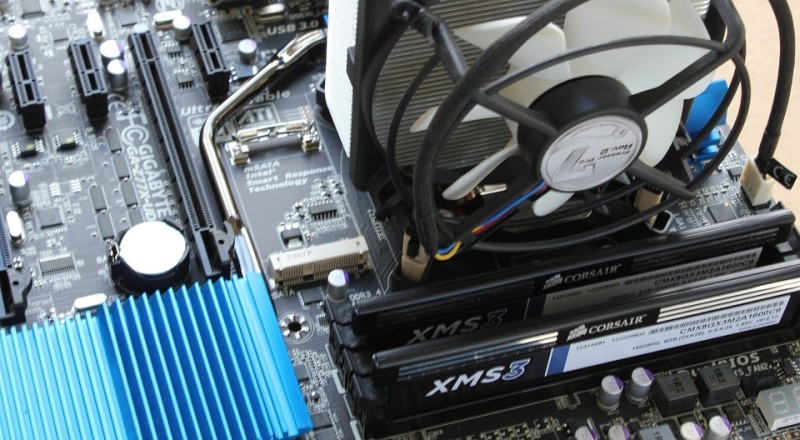
A CPU temperature monitor tool (like the one we’ve described here) will come in handy to check the currently-running temp of your system’s CPU and help you make sure to avoid overheating.
Keep reading to learn more info related to computer CPU temperature, what the normal and excessive temperature ranges are, what is a safe CPU temp range etc.
What Is Normal and Safe Temperature for CPUs?
The normal and safe CPU temperature can be different from computer to computer depending on its manufacturer, model, or make, as well as external factors such as the room temperature.
Therefore, it’s impossible to come up with a single exact number that can help you maintain the ideal temperature number for CPUs but you need to focus on the ideal temp range instead.
With that said, several studies have shown that the ideal CPU temperature is as cool as the CPU can be. This doesn’t mean that you have to freeze the computer.
In most cases, here are the ranges of temperatures as measured at the Core of the CPU:
- Between 30 °C – 55 °C (86 °F – 131 °F) : This range is considered Cool and Normal
- Between 55 °C – 70 °C (131 °F – 158 °F) : This range is considered Normal to Warm
- Between 70 °C – 80 °C (158 °F – 176 °F) : This range is considered Warm to Hot
- Above 80 °C (176 °F) – Considered overheating and should be avoided (especially above 85 °C)
Therefore, as shown from the ranges above, a safe temperature range of a computer’s CPU would be between 30°C – 70 °C (86 °F – 158 °F).
Note that the above temperatures are the Core temps of the CPU and are the highest temperatures that exist in the CPU. The Core temp is the standard for processor thermal measurements.
The external temperature of the CPU (known as Tcase – Temperature Case) is lower than the Core measurement by several degrees (5°C to 25°C depending on the CPU). Therefore, when doing thermal measurement make sure to know which actual temp your tool shows (Core temp or Tcase temp).
Your CPU will perform well if it has an adequate cooling system to keep the Core thermal ranges within the above numbers .
Besides that, leading CPU manufacturers all have different normal temperature ranges, which vary based on their models.
For instance, the AMD A6 series has a normal temperature range from 113 to 133 °F while the Intel Core i7 series works well around 122-151 °F.
Why Do CPUs Heat Up?
CPUs are designed to operate at high temperatures and it’s natural for computers to heat up under load.
A CPU works by either blocking electric signals from its microscopic transistors or allowing the signals to pass through the transistors.
During this process, heat is generated inside the CPU and it’s common for high-performing CPUs to heat while running resource-intensive programs.
How Hot Can a CPU Get Before It is Damaged?
Regardless of which model you use, if your CPU temperature starts to increase above 176 °F (80°C), then it’s essential to reduce the load on the CPU. You should never let the Core temperature of the CPU to go above 185 °F (85°C).
Overheating is a cause of concern even if you are not overclocking your CPU. It can reduce the life span of your CPU or cause major problems such as throttling.
The load you put on your CPU also influences your CPU temperature. CPU load is the collection of applications, software processes, and games your computer is running. Reducing the load can help you minimize the temperature.
An idle CPU unit works within the normal temperature range unless there is a problem with the hardware (e.g broken fan or heatsink).
If you are utilizing a 100% load on your machine, the Core temperature can reach 176°F. In cases where the temperature exceeds this limit, your CPU is at risk of being damaged.
Therefore, if your computer unexpectedly starts to reboot itself, shuts down abruptly, plays a loud beep sound at start-up, or displays a blue screen error, then you’re pushing the CPU beyond its limits.
Does Windows 10 Have a Built-in CPU Temp Monitor?
Unfortunately, there is no built-in application in Windows 10 for checking the CPU temperature of your computer. However, many third-party applications allow you to check the temperature of your CPU.
You can use these applications to monitor the CPU’s temperature and load. Some advanced applications also give users the option to view each core’s load in real-time, which lets close programs that are overheating the CPU.

Leave a Reply