Electronics Archives

The battle between the mobile operating systems is really getting into its stride and making it harder and harder for consumers to choose which platform is right for them. There are three main contenders to cover; Android, iOS 4 and Windows Phone 7. Each has different positive and negative aspects, so let us discuss the major features and see which comes out on top.

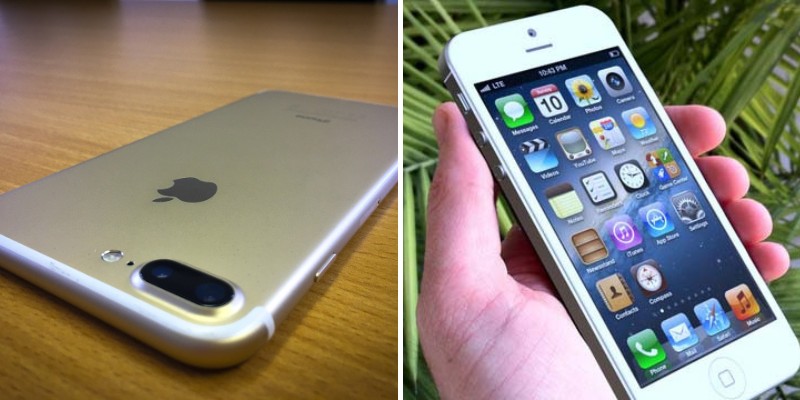
iOS 4 is a platform developed by Apple and used on its iPhone range, as well as on the iPad tablet and the iPod Touch media player. In its current iteration a number of new features have been added, including multitasking to make app-switching easy and unhindered. FaceTime for video calling is also available on the iPhone 4 and iPod Touch, although it is limited to use over a Wi-Fi network. iOS 4 is compatible with hundreds of thousands of apps and games, all of which are accessible via the App Store and iTunes. It has a slick, intuitive interface with multiple homescreens that can be customised with shortcuts to your favourite apps.
Read the rest of this entry

Latest Blueberry Phone-The i9000

This blueberry phone was released somewhere between 2009 December or in the early 2010 (depending on the country). And depending on the model you can even expect for Wi-Fi and 3G too. But as the name “shows” this is more likely a cheaper version of the Blackberry. Anyway, the i9000 consists of 2” (inch) display which looks nice. The pictures look sharp but the 262k color depth is not capable of delivering stunning graphics of a 16M depths. But when thinking about the price, you simple can’t ask for that higher quality display units from the i9000 either.

The length is 98.8 mm and the width is around 53mm. The depth is set at 13.3 mm. So it’s not that slim looking either. It weights around 96grams which is lightweight for a mobile phone. There is a micloSD slot for expanding the memory. Other popular applications such as a phone book, calculator, clock and battery status meter (+ signal strength) are also included. The operating system is called the MTK. This is actually is not a new OS but a customized version of another OS called the Nucleus.

Since there are no 3G or Wi-Fi don’t expect for super fast web experience either. The default browser supports HTML, WAP,JAVA-support, etc. The camera is not capable of making any staggering impressions either. It supports dual-SIM function which is another very popular feature in these types of blueberry phones, however the embedded TV is missing and the user is only left with the provided FM-radio. The multimedia support is OK but again in comparison very poor. The only supported audio codec is mp3 and for video 3GP (low resolutions). The manufacture says that the i9000 supports popular E-mail clients and includes the unavoidable Facebook also.

Since this is a Malaysian company this mobile phone has some built in support for some of the Islamic books such as Al-Quran but they are optional which means (in my opinion anyway) that you have to manually install them over the internet for instance. Anyway, the battery has a capacity of 5 hours and a standby time of 250 hours (over 10 days) but remember that depending on the occasion and the settings (volume, etc) the actual talk and the standby time may change. So as a final thought, even though this is a cheap device in comparison with other latest phones in the market but with the lack of great multimedia + poor quality camera this is certainly not for everyone.

Review of Whole House FM Transmitter

Don't Buy Any FM Transmitter Until You See Our FM Transmitter

I live in a sunny country in Europe and my house has a big backyard where I, my wife and two kids spend a lot of time outside almost any season of the year. We are also music lovers and we have tons of CDs and MP3s stored on my computer. I was looking for a solution to somehow broadcast music to the backyard of my house from my music library. We all know the difficulties to stream audio and music from an electronic source (PC with MP3s for example) to an analog receiver (FM Radio for example). This is not a problem at all if you look at the Whole House FM Transmitter which can receive audio from almost any audio source and transmit it to any FM receiver.

At the beginning I was a little skeptical about getting an FM Transmitter for broadcasting music in my house and backyard. The reason was that most FM Transmitters are relatively weak in terms of coverage and they are mainly for use in your car. After testing the Whole House FM Transmitter 2.0 I was relieved to find out that their claims of 150 feet (50 meters) radius coverage are actually true.

Some Specifications

Before continuing with my review for the Whole House FM Transmitter 2.0, let us see some of the specs of this device below:

  • Receives as input any audio source (MP3 players, iPod, Home Stereo, TV, DVD, DVR, Satellite Radio, Computers PC or MAC, Microphone etc).
  • Transmits to any FM Receiver.
  • Covers the entire FM Band Range from 88.1 to 107.9 MHz in steps of 0.1 MHz. This means that you can easily find any unoccupied frequency to transmit your signal.
  • Use it anywhere you want (Home, Back Yard, Car, Office, Garage, Boat, exercise room, pool side etc).
  • The new Whole House FM Transmitter version 2.0 is built from the ground up with better features, versatility and reliability.
  • Compact Size and light weight (a little bit larger than the size of a deck of playing cards).
  • Covers 150 feet distance but still satisfies the FCC part 15 regulations.
  • Four ways to power the device (AC Outlet, 3 “AA” Batteries, Computer USB Port and 12V Car Adapter).
  • It includes all necessary cables and adaptors to start using it immediately (AC adapter, 1/8” (3.5mm) stereo audio cable, USB power cable, 12V DC car power adapter, stereo Y cable, RCA Jack Stereo audio cable).
  • If you purchase, you will get also 4 Free Bonuses such as Lavalier Microphone, Free USPS Shipping within USA, 1 Year Warranty and Lifetime customer support.
  • 30-Day Money Back Guarantee.
  • More Features from the official site HERE.

FM Transmitter Pictures

This is everything that comes in the Box:

Whole House FM Transmitter 2.0

Whole House FM Transmitter 2.0*

1/8 Inch Stereo Audio Cable

1/8″ (3.5mm) Stereo Audio Cable

RCA Jack Adapter with Volume Control

RCA Jack Stereo Audio Adapter

Stereo

Stereo Audio “Y” Cable

Wall Outlet - (110/220V AC Power Supply)

110/220V AC Wall Outlet
Adapter

Car Adapter - (12/ 24V DC Mobile Power Adapter)

12V DC

Car Adapter


Computer USB Power Cable

Computer USB Power Adapter


*Whole House FM Transmitter® 2.0 also includes an internal battery compartment

Testing done on Coverage

My first test on how long the unit can transmit was pretty simple. I just connected a CD player with the FM transmitter using the 1/8” stereo audio cable and selected an unused FM frequency in my area. Power for the transmitter was from the AC outlet. Now, because I live in Europe, we use the even numbered frequencies so I selected 104.6 MHz on my FM radio receiver. After setting up the same frequency on the FM Transmitter, I was able to receive the audio strong and clear on my radio from the living room of my house to the far side of my backyard (around 120 feet away).

My second testing was a little more demanding. I went down to my basement with my laptop computer and connected the FM Transmitter to my laptop using the audio 1/8” jack (one cable end on the headphone jack of the laptop and the other end on the FM Transmitter). I used also the USB cable to power up the transmitter from a free USB port of the laptop. Then, I fired up a playlist with MP3 songs so that to be broadcasted by the transmitter. I went out again to the far side of my back yard to test out the reception. That was more than 120 feet away. I still could hear the music with a lot of noise however, but if you consider that the signal had to pass through the walls of the basement and over to the backyard, the bad quality was expected.

Other Testing Performed

I wanted also to test the audio quality transmitted with different types of audio sources and with different types of power to the unit. Keep in mind that the way you power the device and the quality of the audio source play important role in the output quality of the signal transmitted.

So I did the following tests:

Power Used for FM Transmitter Audio Source Audio Quality Received on FM Receiver (100 feet away with no obstacles)
AC Outlet CD Player Good quality
USB port on laptop From headphone jack on laptop Average (with some static noise)
USB port on laptop CD Player Good quality
“AA” Batteries CD Player Excellent quality
“AA” Batteries From headphone jack on laptop Average quality (but without static noise)

Basically the combination of laptop USB Port as power together with the laptop headphone jack as audio source was the worst because of the electrical issues from getting power and audio from the same source.

Conclusion

The reviewed Whole House FM Transmitter really stands up to its name as a “Whole House” coverage system. If you are in the same situation as me, that is you like to listen to streaming music from a CD player or from your laptop without being bound by distance from the music source, then the Whole House FM system is a great device to broadcast your music on any FM receiver within your home vicinity. Its price tag has also dropped considerably, so why don’t you take a look at the official website of the product to see if it fits your needs. And don’t forget the free shipping within USA and the 30-Day money back guarantee.

Who will win-the IPhone or the Nexus One

There is a huge storm that is brewing in the world of mobile phones. It is one that has been coming ever since Apple threw out the gauntlet challenge a couple of years ago. Everybody could see that the next digital world to be conquered after desktop computers was Internet while you are on the go. There were several ways to do this. Laptops, special Internet only devices, and even some weak mobile phone devices were the most popular ways of doing this. But Apple embraced the Internet on the phone concept and introduced the IPhone. When people first saw it, they could tell that it was made with the Internet in mind first. All other phones with Internet capabilities were created with the Internet features as an afterthought. For years, the Iphone has dominated the smart phone market with very little competition. Now Google has introduced the Nexus One. Will it be able to compete?

The Nexus One has taken the idea of the IPhone and has upgraded it. When the engineers at Google were creating this phone, you can tell that the phone had no other purpose but to be an IPhone killer. The people at Google think so highly of it, that they have labeled the phone a “super phone”. This shows a lot of confidence in a phone that has not even reached the market yet. But they have good reason to be cheerful. The hardware on the phone is unrivaled by today’s standards. They have a bigger screen than the IPhone and a 1 Ghz processor made by Qualcomm. Apple announced shortly after Google introduced it’s phone that they were going to go with Qualcomm as well. This definitely lends credence to the fact that Google made the right decision in their processor choice.

Many IPhone lovers have said that this phone is a rip off of the IPhone. This may be true but it is a very well done rip off. As of right now, IPhone still has the advantage in the application category and already installed user base. The Nexus One does force Apple to have to step up to the plate with a great phone, the next hardware upgrade cycle. There is competition now and the IPhone is getting a little stale. They do not want to fall in the Motorola Razr category.

The jury is out in the case of who will win the IPhone vs Nexus One debate. As of right now, Apple has a huge lead but Google is a strong company that has the resources and the technology know how to quickly catch up.

Over the last three years, people who are smart phone users, have come to expect a lot from their devices. It is no longer enough to have only the best phone features around. Items such as call quality and network coverage are very important but other features also come into play when a consumer is choosing their phone. The other options that a user might look for are whether the phone comes with a good suite of applications and robust Internet capabilities. How good the data plan is and will it allow the consumer to tether devices to the phone are also features that are important. To today’s smart phone user, these items play an important part of the decision on whether they will purchase the phone or not.

With the IPhone, users have become enticed by the amount of applications that they provide. There are so many though, that it has become hard for the average person to choose which one would be right for them. There are a ton of bad applications and time wasters that are available through the app store. One thing that the average user of the Iphone does not have, is time to waste on choosing an application. So how does one decide which application is right for them?

The first thing that you want to do, is narrow down the category that you are looking for. Are you looking for a business application? Or are you looking to find a game that you would like to play for a long trip or to entertain your kids with. The key to finding the right application, is that you know what you are looking for when you start to digitally walk down the app store aisle ways. Know what you are looking for and stick to it. It is real easy to get distracted by all the applications that the app store offers.

After you have chosen a category to look at, check the ratings for the application itself. User ratings are very helpful in determining which applications are good and which ones are junk. Every application will have a couple of negative ratings but if it seems like there is a theme brewing, it is probably best to steer clear of that application. If most people seem to have a problem with the program then it is most likely not the right one for you.

If picking a category and paying attention to the ratings are not enough, then you can search online for the answer. In the last two years there have been many blogs that have popped up, for the sole purpose of reviewing IPhone applications. They test the applications and give their opinions on it. Even if you don’t follow their opinions directly it should give you a good ideal on what the application does and if it is right for you.

Choosing which application is right for you on the IPhone can be hard. Yeah, there are a few standards that all people choose to use but once you go on your own and try to find something new, it can be difficult. Just trust your instincts and don’t be afraid to try something new out. You might be surprised.

 Page 5 of 6  « First  ... « 2  3  4  5  6 »