As of 2023, the US had an internet penetration rate of approximately 93%. And the vast majority of people here get their internet connectivity from their local cable provider.
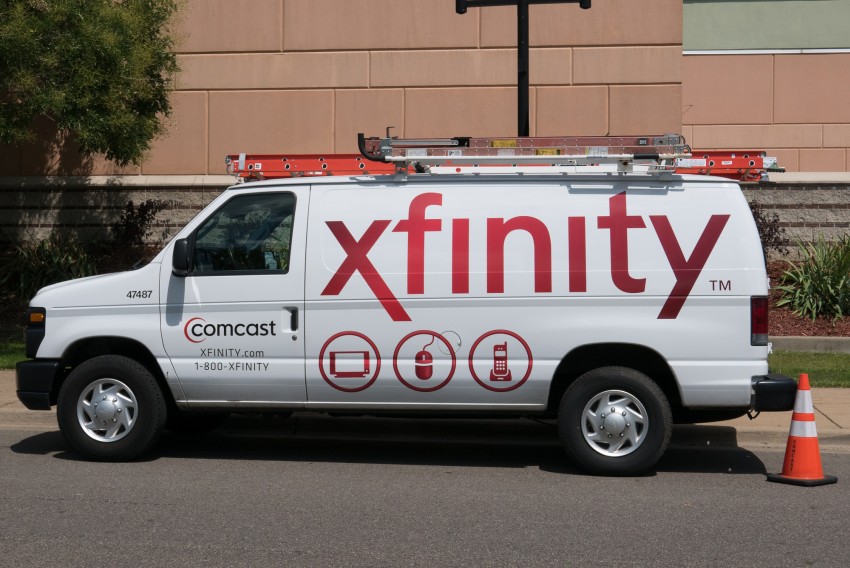
It’s a situation that’s led to a handful of massive cable companies dominating the internet service industry.
However, there’s one provider that stands head and shoulders above the rest in terms of size, reach, and market share—Comcast.
Comcast’s Xfinity broadband internet service is broadly available nationwide, covering parts of 41 states and the District of Columbia.
As of the end of 2022, they had an astounding 32.1 million broadband internet subscribers spread across that area.
All of this means, of course, that there’s a good chance you’ll have Xfinity Internet as an option where you live.
For that reason, it’s a good idea to know a bit about the service so you can make an informed decision on whether to sign up.
As an Xfinity subscriber myself, I have detailed knowledge of the service and years of real-world experience using it.
So, let me be your guide to the pros and cons of Xfinity Internet and give you some insider knowledge on the service you won’t find in Comcast’s marketing materials. Let’s dive in!
Xfinity Internet Plan Prices
Before we delve into the pros and cons of the Xfinity Internet service itself, it’s worthwhile to start with how much you can expect to pay for it.
This is a topic for which there are few clear answers, unfortunately. This is because Comcast, like most cable companies in the US, loves offering bundled phone and television services along with its internet offering.
So, there are always various package deals that may affect the available prices in your particular area. Plus, you can also assume that the price on offer doesn’t include taxes and fees that will drive up your bill.
That said, there are some baseline plan prices available that you can use as a reference point. They are:
- Xfinity Connect – 75 Mbps download, 5 Mbps upload for $19.99 per month
- Xfinity Connect More – 200 Mbps download, 10 Mbps upload for $39.99 per month
- Xfinity Fast – 400 Mbps download, 10 Mbps upload for $55 per month
- Xfinity Superfast – 800 Mbps download, 15 Mbps upload for $65 per month
- Xfinity Gigabit – 1000 Mbps download, 20 Mbps upload for $75 per month
- Xfinity Gigabit Extra – 1200 Mbps download, 35 Mbps upload for $80 per month
It’s worth pointing out that the prices for the above plans will vary considerably from region to region and are valid at the time of writing this article. Also, you may even find them offered for a discount from time to time, too.
Plus, Many Xfinity regions also offer a basic connectivity plan called Internet Essentials that typically costs $9.99 per month with up to 50 Mbps download speeds for low-income residents.
The Pros of Xfinity Internet
Now that you know what you can expect to pay for Xfinity Internet service, the next thing you’ll want to know is what you’ll get for your money. The following are some of the pros of the Xfinity Internet service.
Reliable Service With Few Outages
As the largest cable operator in the US, Comcast certainly knows its way around a coax-based internet network.
They’ve also spent considerable sums over the years to keep their backend technology up-to-date and capable of meeting customer demand.
The result is stable and reliable internet service. In the decade I’ve had the service, I’ve only experienced about five outages—most of which lasted a few minutes and rarely more than an hour or two.
The Xfinity network is so reliable that if you have an issue with the service, it’ll likely have more to do with the wiring in your home than anything on Comcast’s end.
Of course, your mileage may vary from region to region, but you should expect reliability the majority of the time. And on the rare occasion you do experience an outage, Comcast provides a handy outage map to let you know an approximate ETA for a fix (if you have a smartphone or other internet-connected device to access it, of course).
Contract-Free Plans
Another big pro associated with Xfinity Internet is that it offers most of its plans without a contract. Of course, you will find that some of its biggest discounts come with a one or two-year commitment.
However, there’s always a no-contract option available if you’re not sure you’ll stick with the service. This means terminating your internet service is as simple as letting Xfinity know about your plans and returning your cable modem.
High Available Speeds
As you can see from the list of service plans above, Xfinity Internet has speed tiers to suit almost every kind of user.
So, if you need gigabit-plus speeds to support your usage patterns, you can get it. And you can trust Xfinity to deliver you the speed you’re paying for, too.
The only caveat is that download speeds are often limited by the service you’re connecting to. This often leads to misleading speed reports that seem to indicate a disparity between advertised speeds and what you’re actually getting at home.
However, there’s a simple way to see if you’re getting your advertised speed with Xfinity. Since they’re such a large ISP, many of the test locations offered by Speedtest.net sit within Comcast’s network.
So, using a wired connection to your router (to eliminate Wi-Fi speed issues), you can run a test with one of those. Or, you can run a test on Netflix-owned Fast.com. Their peering agreements with major ISPs all but guarantee you’ll get an accurate result.
You Can Bring Your Own Equipment
Another major pro associated with Xfinity is that you can use your own cable modem and avoid monthly rental charges if you wish.
Although FCC regulations force cable providers to do this, Xfinity does a relatively good job of supporting a wide range of modem hardware, making the process fairly easy.
Plus, even if you don’t want to use your own modem, Xfinity will also allow you to put their modem in bridge mode if you’d like to use your own Wi-Fi router or firewall.
Access to Millions of Free Wi-Fi Hotspots
Xfinity customers also get free, unlimited access to a nationwide network of Wi-Fi hotspots. At last count, Xfinity had over 20 million hotspots nationwide, making this a huge perk of its service.
This is especially useful for people with limited smartphone data plans, or frequent travelers that need connectivity for a laptop or tablet.
On top of that, most Xfinity Wi-Fi hotspots offer speeds up to 25 Mbps down, which is plenty fast for single users.
The Cons of Xfinity Internet
Although Xfinity comes with plenty of advantages, there are a few downsides you should know about before signing up. Here are the most important cons that come with Xfinity Internet service.
There’s a Data Cap
Several years ago, Comcast made waves when it began rolling out data caps for its residential Xfinity Internet customers. Right now, the standard data cap is a fairly-generous 1.2 terabytes per month.
At that rate, you’d need to stream 4K video for about 6 hours per day to get anywhere near it.
In the entire time I’ve had the Xfinity service, I’ve only come close to the data cap a single time—by backing up the entire contents of my home network to the cloud.
And there’s another thing to know about the data cap—Comcast doesn’t enforce them everywhere. Right now, there are still no data caps on customers in the Northeast US. However, there’s no telling when that might change.
Confusing Fees and Extra Charges
Although ISPs have a long and irritating history of charging all kinds of fees on top of their base rates to increase profits, Comcast has a worse reputation than most.
For example, you can expect to pay about $180 per year in cable modem rental fees. You could easily buy your own equipment for less than that, not that any Xfinity representative will ever let you know that.
And if that’s not vexing enough, consider that Comcast is fighting new FCC fee transparency rules vigorously to try and preserve their sketchy fee structures, so don’t expect them to turn over a new leaf anytime soon.
Your Home Is a Hotspot
Remember when I told you that Xfinity customers get access to millions of Xfinity Wi-Fi hotspots all over the country? Did you wonder how Comcast makes that possible?
It’s possible because they turn every cable modem they install into a publicly-accessible access point. This means any other Xfinity customer near your home may use your cable modem to reach the internet.
Now, this isn’t a security risk because the hotspot uses a distinct SSID from your home network. However, it can cause you some other headaches.
One is that it could slow down your home’s connection a bit if a heavy user connects to your modem. And all of those extra SSID broadcasts cause plenty of unnecessary Wi-Fi channel crowding, particularly in dense urban areas.
The good news is that you can turn off your modem’s hotspot by flipping a switch on Xfinity’s web portal. However, you should know every Xfinity modem ships with its hotspot turned on by default.
Sometimes-Spotty Customer Service
Last but not least, Xfinity has a reputation for spotty customer service that’s somewhat well-earned. For one thing, the majority of its front-line call centers are overseas.
While that’s not a problem in itself, it can lead to some frustrating communication issues and make any call you place take far longer than it should.
Plus, most front-line representatives are minimally trained and end up reading you possible trouble solutions you could have found yourself on the Xfinity website.
Also, Comcast relies extensively on 3rd-party installation contractors. If you’re lucky, you’ll have a local installer that knows their stuff. If you’re not, however, don’t count on getting anyone else to come to check out your issue.
In the event of a physical network issue—like damaged coax outside your home or an unbalanced local node causing signal problems—you may find yourself waiting a while for Xfinity to escalate your issue to an actual Comcast employee that can help.
The Bottom Line
At the end of the day, Xfinity is a fast and reliable home internet provider that generally delivers what they say they will.
However, you may experience some frustrations with hidden fees and spotty customer service (if you’re unlucky enough to require it).
On the whole, however, many of Xfinity’s issues aren’t all that uncommon among ISPs in the US. So, if Xfinity’s the main ISP where you live, don’t worry too much and instead focus on choosing a plan that best fits your needs.

Leave a Reply