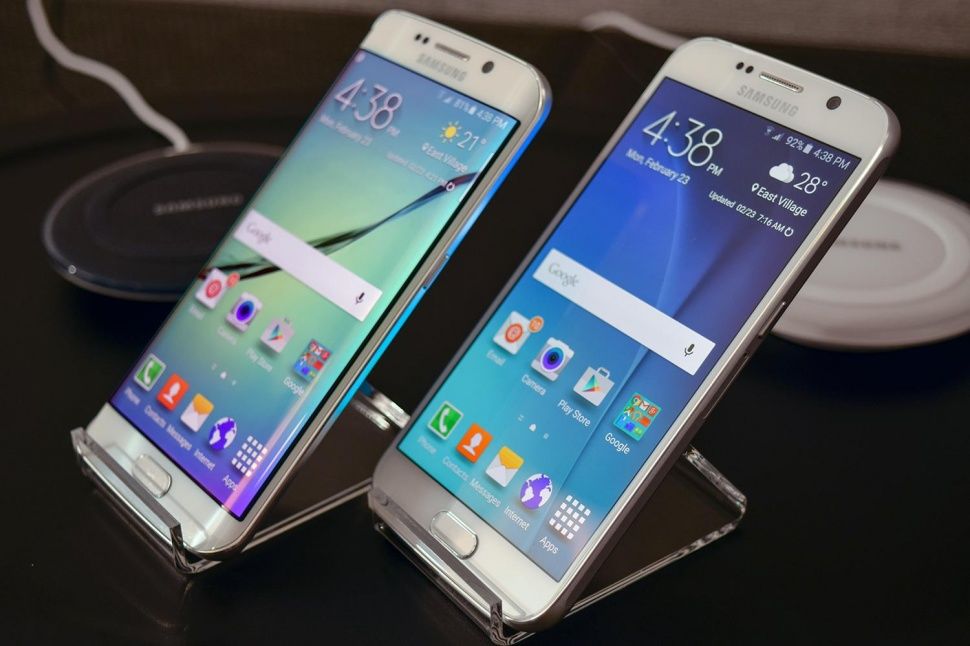
Galaxy S6 Edge
Samsung unveiled two of its new smartphones in Barcelona last month – The Samsung Galaxy S6, and its twin, the Samsung Galaxy S6 Edge. The Galaxy S6 had everything you could expect from a Samsung phone. It introduces new design on the hardware side, as well as top-of-the-line specs on the inside. Then, you have the Galaxy S6 Edge. Samsung has included some new features inside the S6 Edge, and one of the best ones is the People Edge. By using the People Edge, users will be able to see who’s calling them without having to turn over the phone, if the phone happens to be facing downwards on the table.
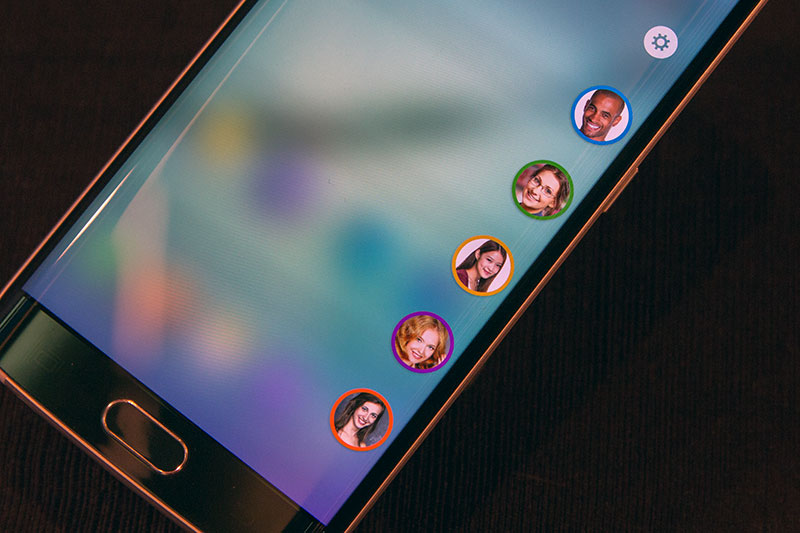
People Edge lets you choose up to five people into your contacts, and assign a certain color to each person. This will cause the phone to light up in a different color for each of these people. This makes it easier for you to check who’s calling you, and whether you want to accept this call, or not.
People Edge
The People Edge lets you keep your contacts handy on the Samsung Galaxy S6 Edge. Here’s how to use this cool feature:
When you receive your own Galaxy S6 Edge, the People Edge is obviously still empty. You will need to fill it up with contacts before you begin. Open the People Edge by swiping on the small transparent tab found on the top right of the screen edge. Click on any of the five empty color circles to place a new contact in that space. Repeat until all five slots have been filled.
Click on the gear icon located above the circles to open up Settings. This is where you can reassign the order of your contacts. You will be able to change your contact’s assign the color in the Contacts app. If you want to remove a contact, click and hold their circle and swipe to the delete button found on top of the screen. Once your contacts have been assigned, you will either see their picture (if you have one assigned to the contact), or a color circle that contains the first letter of their name. Click on the photos to send an email, a text message, or call them from the choices that appear. Swipe the screen in the opposite direction to close People Edge.
People Edge Color
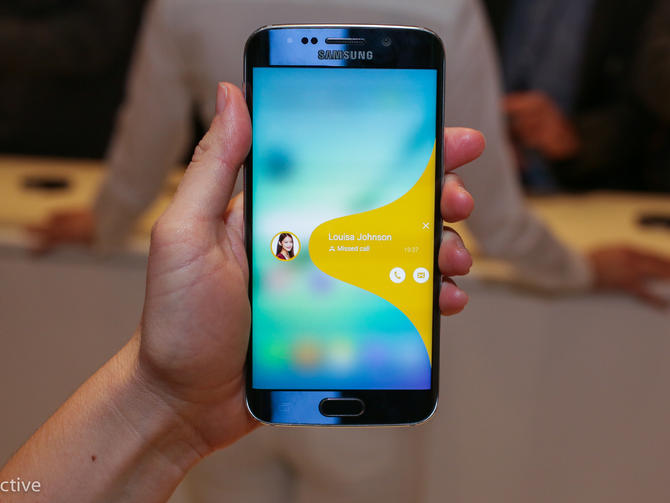
If you happen to miss a text message or a phone call from one of your five contacts, you will find a small color tab on the side of the screen that corresponds to the person. Just swipe the tab to check what you have missed.

Leave a Reply