The Internet has finally reached that point where it not only has all the information on anything you will ever need, but it’s also incredibly easy to use and accessible.
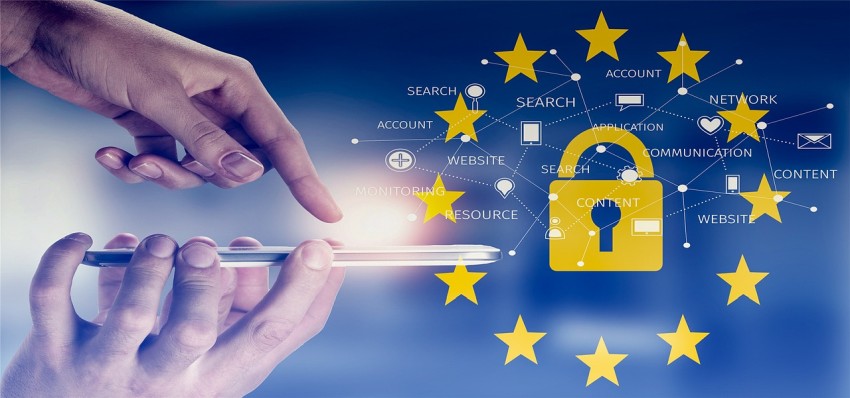
This puts us at ease, which is a mistake, because the web is not all that it’s cracked up to be when it comes to safety.
Sure, we have our freedom, but since there is nobody to regulate all the stuff that happens online, we need to be really careful about how we use it, because security statistics are getting worse every year.
According to research done by Norton for 2018, almost 60 million of Americans have been a victim of identity theft in some shape or form so far, and as much as 15 million of them in 2017 alone.
But, identity theft is not the only danger that looms online. We have all seen the Facebook-Cambridge Analytica scandal, where personal information of over 500,000 people were used for political purposes without their consent. And then there are your garden-variety scammers, frauds, viruses, and malware.
If you are not careful about keeping your passwords and personal information safe, as well as using safe transaction platforms and communication channels, the Internet can become a real minefield.
In order to help you protect your data online, we have put together a list of 9 best tips and practices you need to start using today.
1) Back Up Your Data on a Regular Basis
Backing up your data is probably the last thing on your mind until it the data get lost forever, and then it becomes the first one. Whether your data has been lost, stolen, erased, or destroyed, it doesn’t matter, because in the end, you don’t have it and there is nothing you can do about it.
As much as 140,000 hard drives in the US alone malfunction on a weekly basis, and the total data loss has gone up by 400% in the last six years. So how often should you back up your data?
As often as possible is such a vague answer, but it all depends on how much data you can afford to lose. For some, it may be a year or a month, while others may have the need to save their data on a daily basis. With all the third-party apps and even a built-in Windows feature for data backup, there is simply no excuse for not doing it.
2) Use Data Encryption
Contrary to popular opinion, data encryption is not something that is reserved solely for mathematicians or security experts. According to Matthew Horner, who works as a security expert for BestEssayTips, technology has made encryption accessible enough for anyone to use, and if you are serious about keeping your data safe on the web, you need to start making use of it.
For instance, there are plenty of plugins and apps which allow you to encrypt your email according to OpenPGP standard. The same goes if you want to protect your files.
3) Always Install OS Updates
We agree that operating system updates are annoying, and that they take away precious time. But, the reason why you’re using that incredible operating system in the first place is because of all the security patches and fixes that are keeping you safe online.
Hackers and cybercriminals are always looking for ways to prey on unsuspecting users, which mean that your computer is at risk every time you ignore a request for an update.
4) Install Anti-Malware Software
The trickiest thing about malware is that it can be found in any shape or form. We aren’t just talking about all the different types of malware, such as viruses, words, spyware, and trojans, but also the fact the they can be hiding in emails, photos, videos, downloadable files, applications, and even on some websites.
In order to stay on the safe side, install a good anti-virus program, and check your computer for malicious files every day. Also, don’t open suspicious emails and avoid visiting shady websites.
5) Secure Your Wireless Network
The most common reason why people secure their Wi-Fi connection, whether it’s at work or at home, is because they don’t want someone else taking up their bandwidth for free, when in fact, that should be the least of their worries.
Free Wi-Fi puts you at risk of someone obtaining your private information. Even worse, they may be using it to perform illegal activities online, and if that happens, you will have a tough time explaining that it wasn’t you. If possible, hide your Wi-Fi network and set a password for the router. Especially if your wireless network is very strong (which means it covers wider area even outside your home), you must be extra careful about its security.
6) Never Save Passwords on Your Mobile Devices
We save passwords because we appreciate the convenience of not having to provide log in info for every single service out there, and because we use a lot of them.
However, if you are logging in using your laptop, tablet, or smartphone, you should probably avoid saving your passwords, since mobile devices are much easier to steal, and in the case of smartphones, much easier to lose as well. You don’t want someone else gaining access to your emails, social media, or even your bank account.
7) Use Strong Passwords
While we are on the subject of passwords, we cannot emphasize enough how crucial it is to set up a strong and unique password for each of your accounts.
Don’t be lazy and use the same one for multiple accounts, because once identity thieves and hackers get a hold of a single password, they won’t even have to crack all the other ones. They will simply try and see if the one they already have works on other accounts. To make matters easier for you, there are plenty of password managers out there which can help you generate passwords, such as LastPass or 1Password.
8) Turn on Remote Location and Device-Wiping
Once one of your mobile devices gets lost or stolen, your data also becomes available to the person who has the device. However, you can mitigate the damage to an extent by installing a tracking app which lets you know about the exact location of your phone.
On top of that, most of those apps also allow you to wipe all the private data from your device in its entirety, so you will be somewhat less exposed.
9) Delete Old Accounts You Are Not Using
We all have these lying around somewhere, but they may be exposing you to online attacks, even if you haven’t logged into them in years, so it’s best just to shut down and delete them.
Keep in mind that some services, such as Microsoft or Yahoo allow new users to register for an email account with your old email username. This is a problem in case your old email is connected to some other service you are using right now, because that new user can simply change the password and lock you out.
Summary
These 9 tips, along with a healthy dose of common sense, should be enough to keep you safe online, but that doesn’t mean that you shouldn’t look into additional methods of keeping your data secure. There is no such thing as too much security.
Author Bio

Peter Hill is a professional writer and journalist. He is a socially active person, engaged in photo and video editing. You can find him on Twitter and Facebook.

Leave a Reply